![Playbook Logo transparent.png]](https://playbookteam.com/hs-fs/hubfs/Playbook%20Logo%20transparent.png?height=49&name=Playbook%20Logo%20transparent.png)
-
Keeping plans up-to-date has many benefits...
- Everyone's priorities are clear and correct every day because the slack and criticality of all tasks are accurate.
- High confidence in the level of schedule risk indicated on the buffer charts.
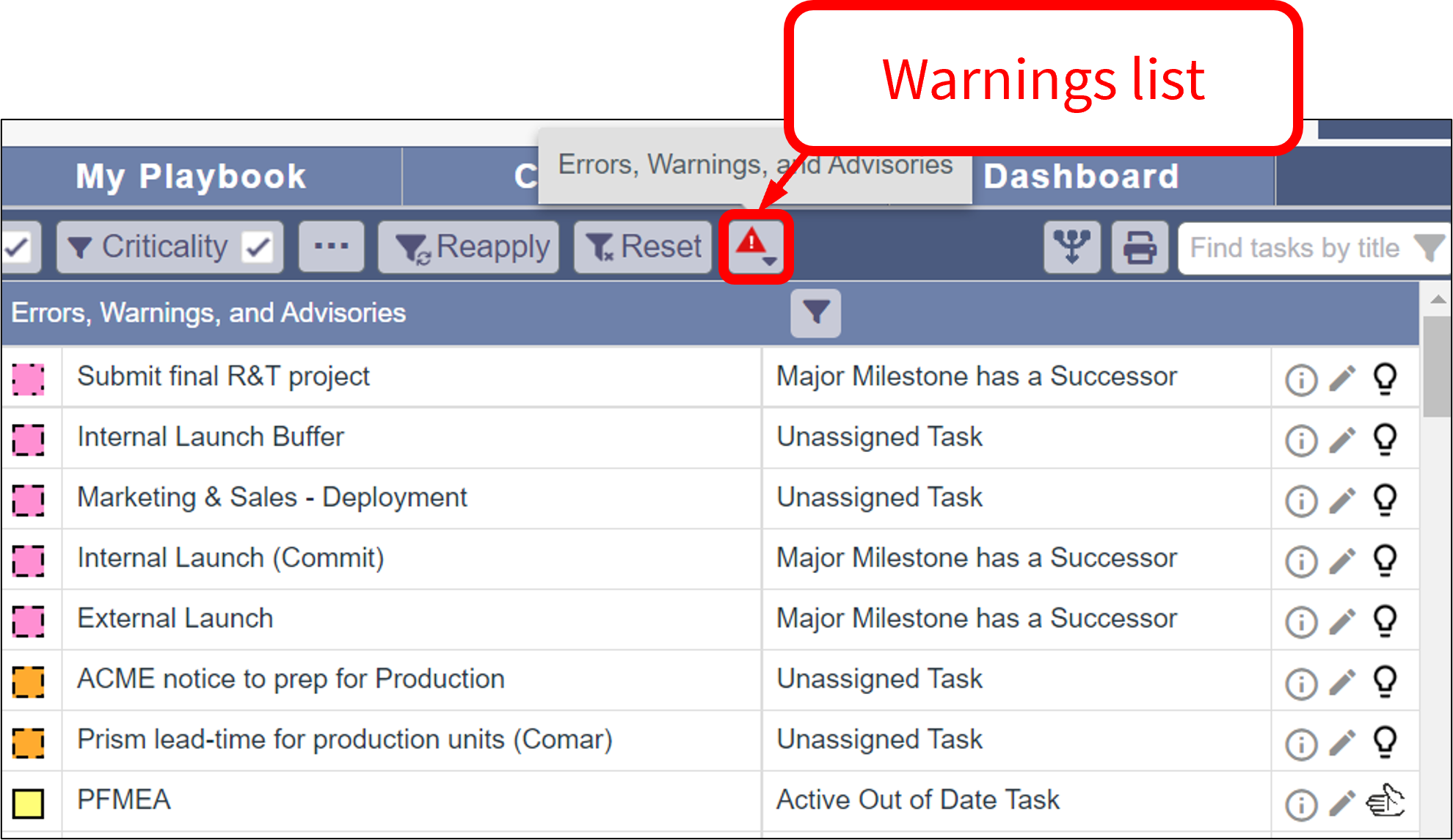
- In the Game Plan, the Warnings list can be used to quickly find tasks that are out of date, unassigned, unlinked (unknown slack), etc.
/Whats%20New/Sep%202022/Sep%208,%202022%20-%20Errors,%20Warnings,%20Advisories/Sep%208%2c%202022%20-%20Errors%2c%20Warnings%2c%20Advisories%20-%201.png?width=644&height=372&name=Sep%208%2c%202022%20-%20Errors%2c%20Warnings%2c%20Advisories%20-%201.png)
- When you click on a task title, the task is displayed in the Game Plan.
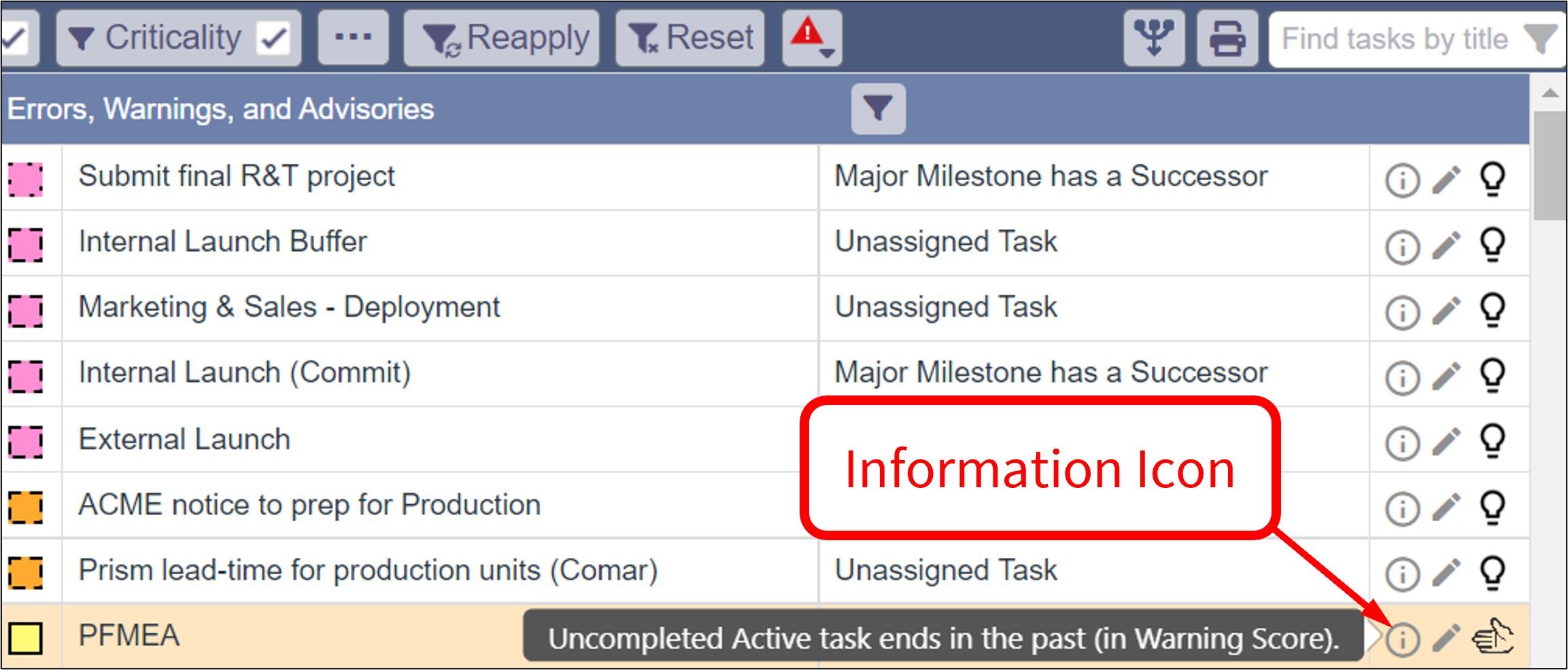
- More information is available by hovering over the Information icon.
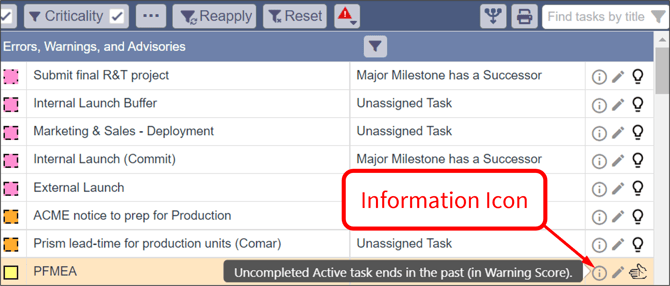
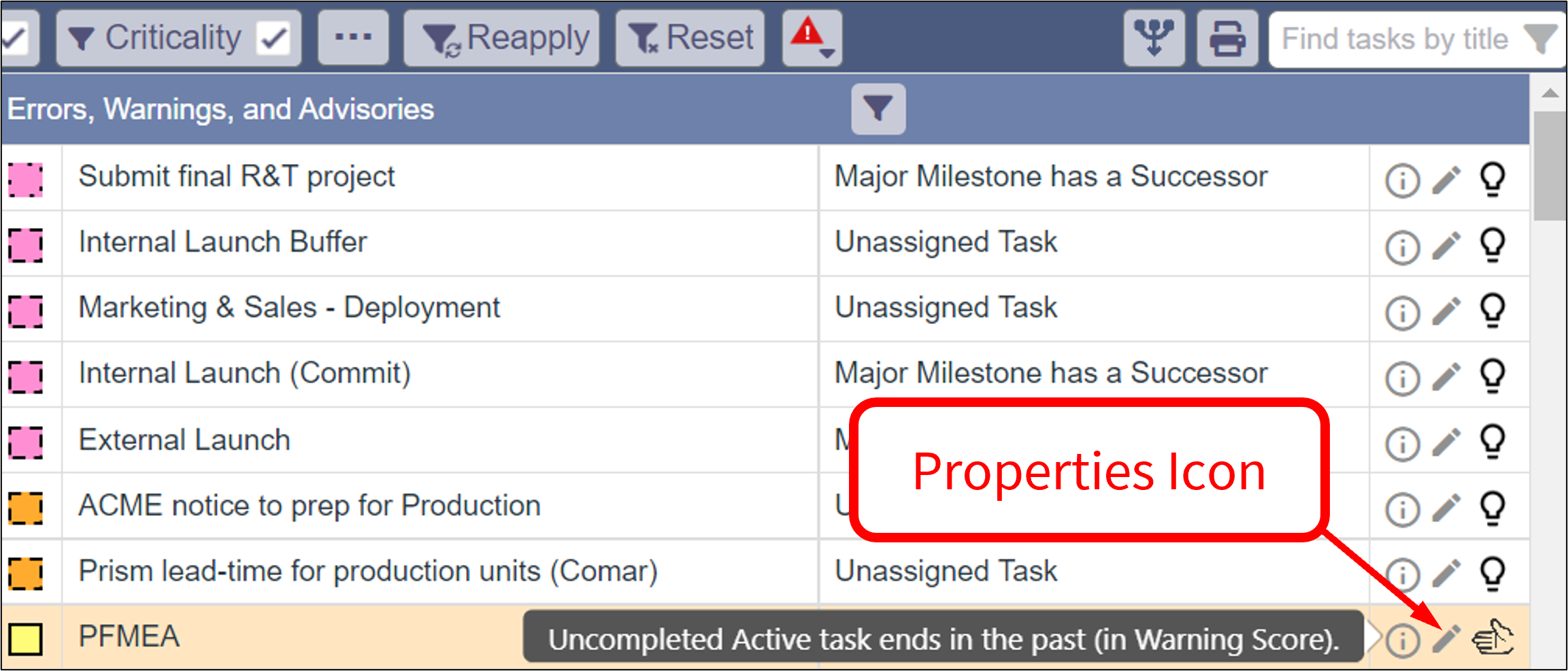
- You can open Task & Buffer Properties using the Properties icon.
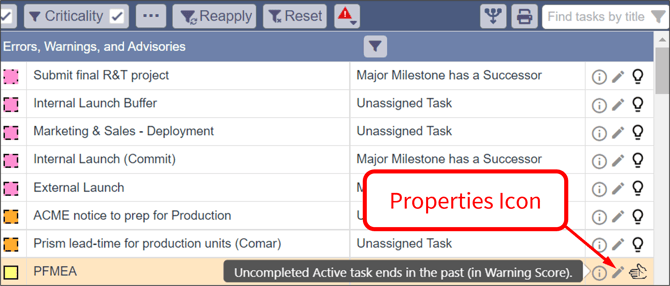
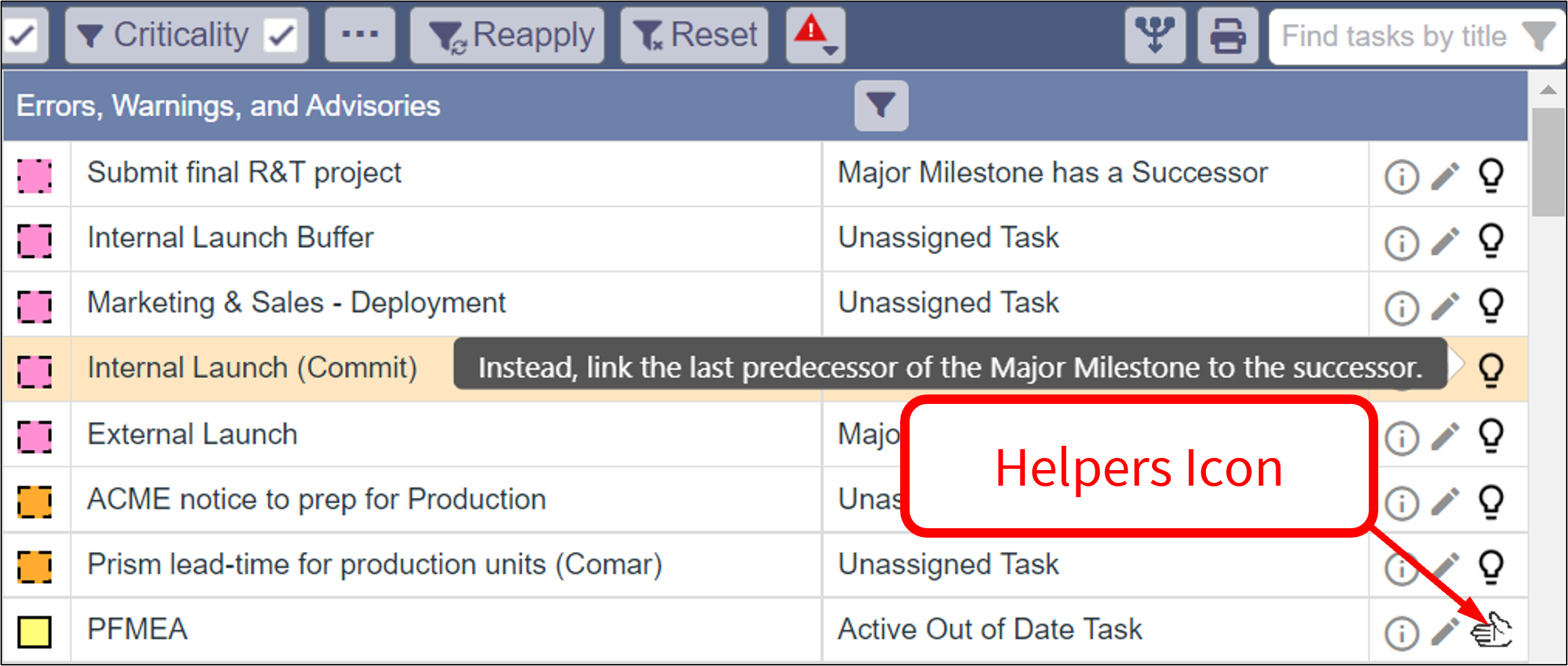
- Things you can do to resolve Warnings are available using the Helpers icon.
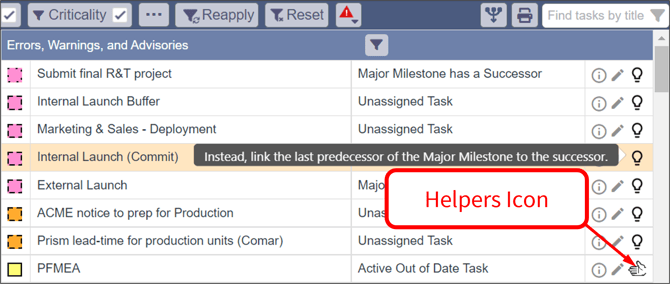
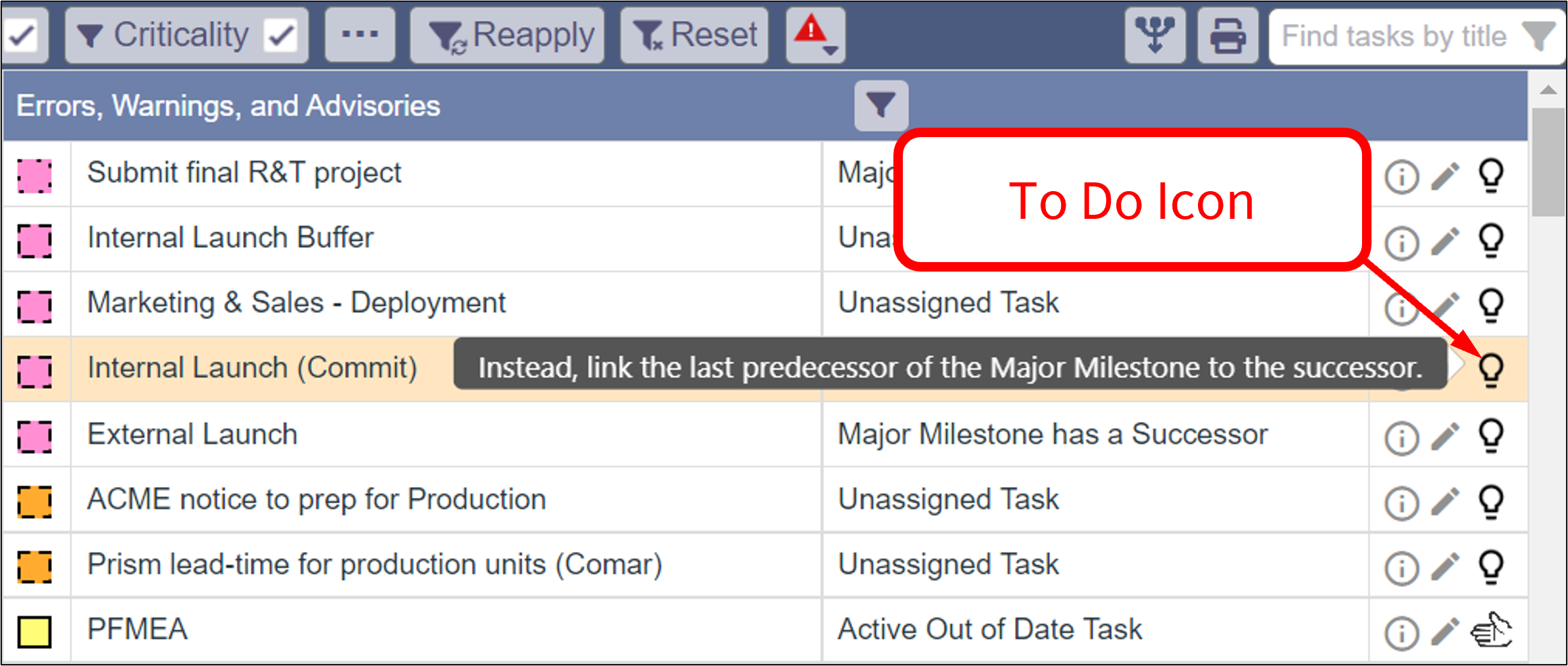
- When no Helpers apply, "To do" information is provided using the To Do icon.
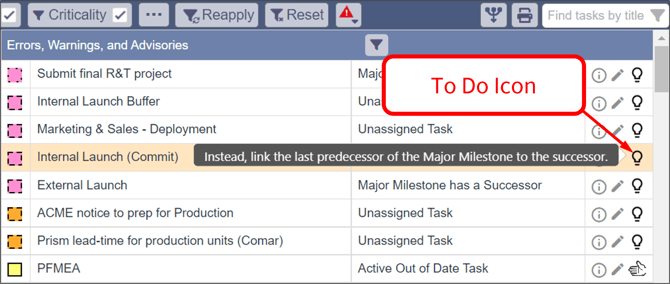
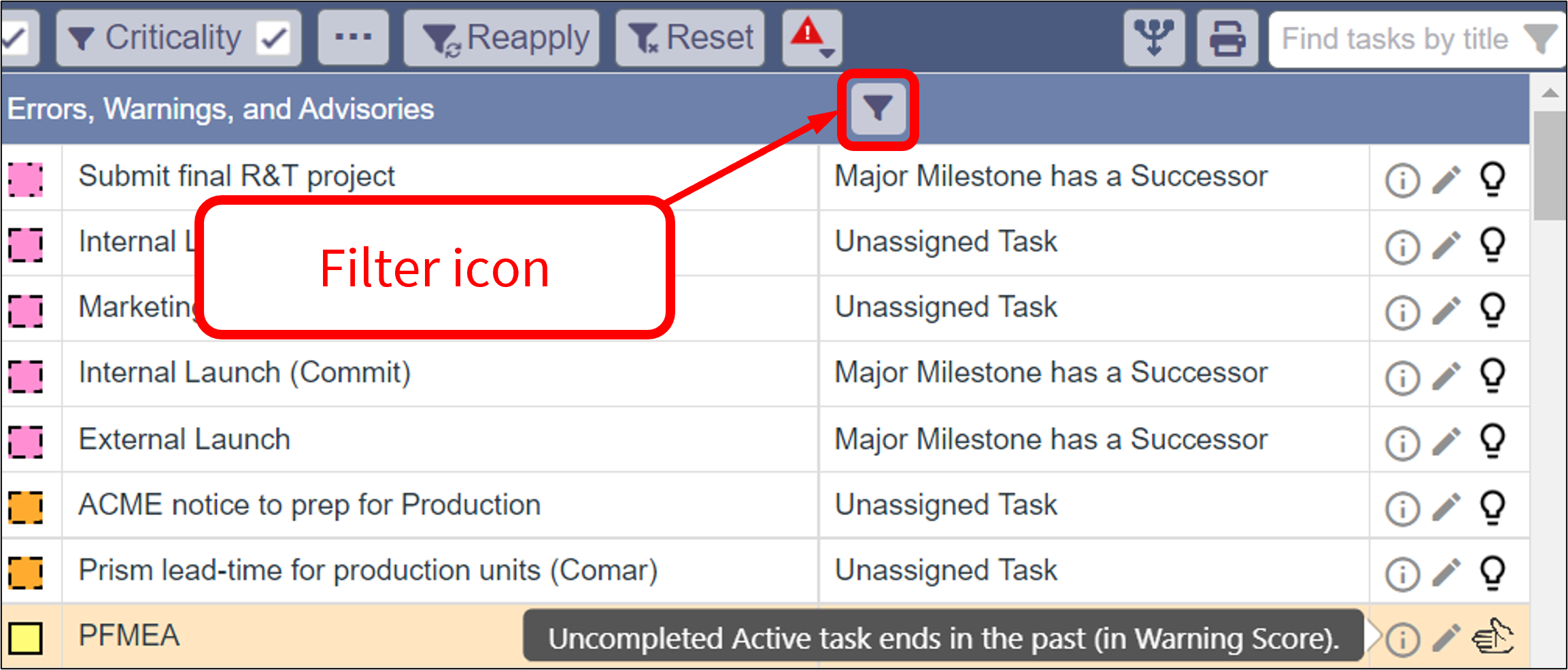
- You can choose the warnings to analyze using the Filter Warnings List icon.
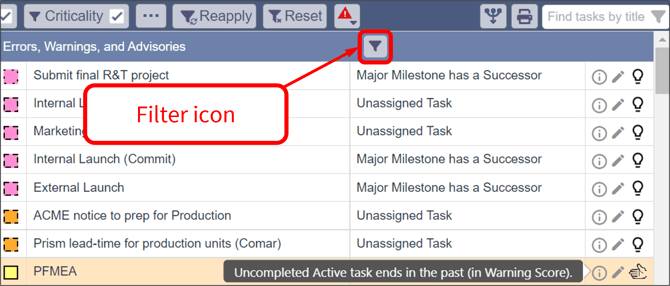
- You can select only the warnings that contribute to the Warning Score on the buffer charts by clicking Reset.
/Sep%208,%202022%20-%20Errors,%20Warnings,%20Advisories/Sep%208%2c%202022%20-%20Errors%2c%20Warnings%2c%20Advisories%20-%207%20-%20Customize%20EWAs%20to%20show.png?width=500&name=Sep%208%2c%202022%20-%20Errors%2c%20Warnings%2c%20Advisories%20-%207%20-%20Customize%20EWAs%20to%20show.png)
- As always, your settings will be remembered if Automatically save settings is selected.
/Sep%208,%202022%20-%20Errors,%20Warnings,%20Advisories/Sep%208%2c%202022%20-%20Errors%2c%20Warnings%2c%20Advisories%20-%208%20-%20Automatically%20save%20settings.png?width=500&name=Sep%208%2c%202022%20-%20Errors%2c%20Warnings%2c%20Advisories%20-%208%20-%20Automatically%20save%20settings.png)
- Need a hand? Contact a Customer Success Engineer today!
/Whats%20New/Sep%202022/Sep%208,%202022%20-%20Errors,%20Warnings,%20Advisories/Sep%208%2c%202022%20-%20Errors%2c%20Warnings%2c%20Advisories%20-%207%20-%20Reset%20option.png?hsLang=en)
/Whats%20New/Sep%202022/Sep%208,%202022%20-%20Errors,%20Warnings,%20Advisories/Sep%208%2c%202022%20-%20Errors%2c%20Warnings%2c%20Advisories%20-%208%20-%20Automatically%20save%20settings.png?hsLang=en)