- The Invalid Credentials window appears when signing in...
- If the username does not exist.
- If the username exists, but the password is incorrect.
- If your account has been deactivated, is unapproved, or locked out.
- If you tried to use the SSO option, but your Playbook account does not exist.
- Steps to resolve
- If you are signing in using a username & password...
- Check that you are using the correct username, which might not be your email address.
- Check that you are using the correct password and, if you are copy/pasting the password, you are not pasting any extra characters (like a space at the end of the string).
- Try Forgot Password?.
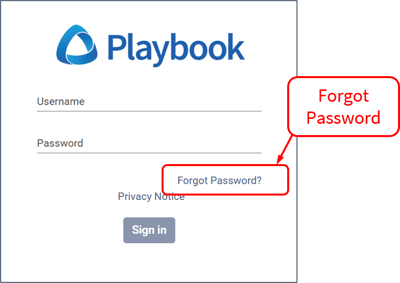
- If you were able to successfully reset your password, sign out, then sign in again using that password to verify that you can sign in properly.
- Upon trying to sign in again, if it doesn’t work, then you are using the wrong username. The correct username is in the Forgot Password email you received.
- If you still cannot sign in, contact your Playbook administrator or Playbook Support.
- If you are using SSO, contact your Playbook administrator.
- If you are signing in using a username & password...
English
![Playbook Logo transparent.png]](https://playbookteam.com/hs-fs/hubfs/Playbook%20Logo%20transparent.png?height=49&name=Playbook%20Logo%20transparent.png)